


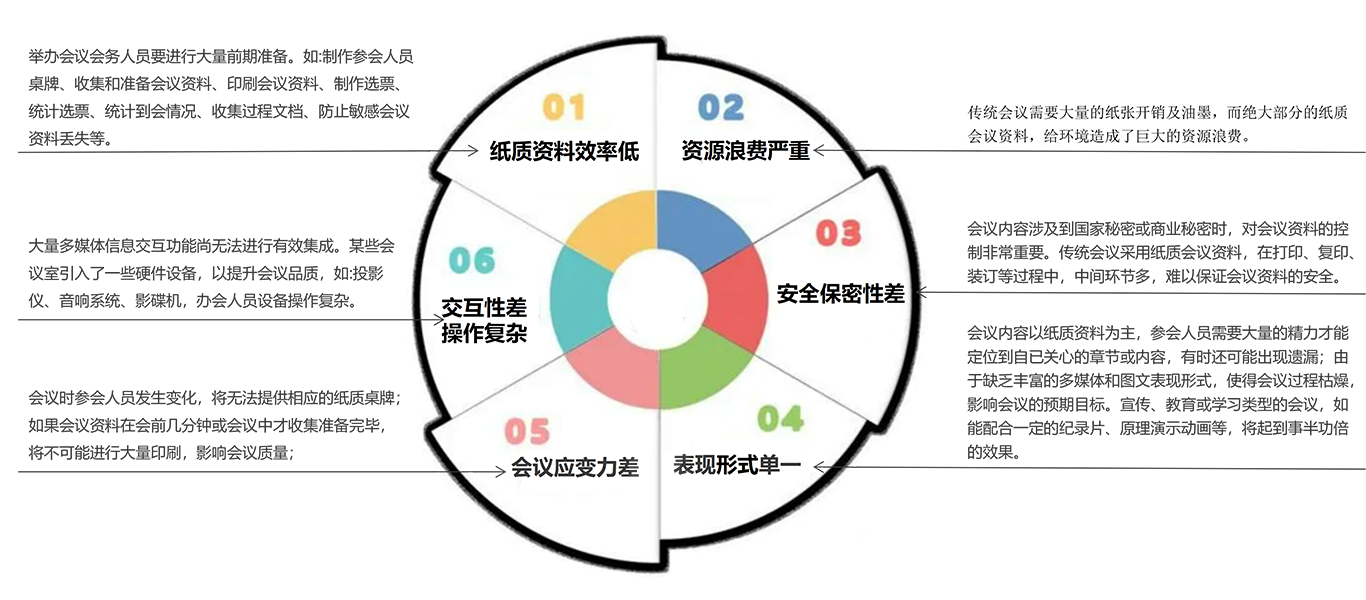
Workflow of Traditional Conferences:

Six Major Drawbacks of Traditional Conferences:
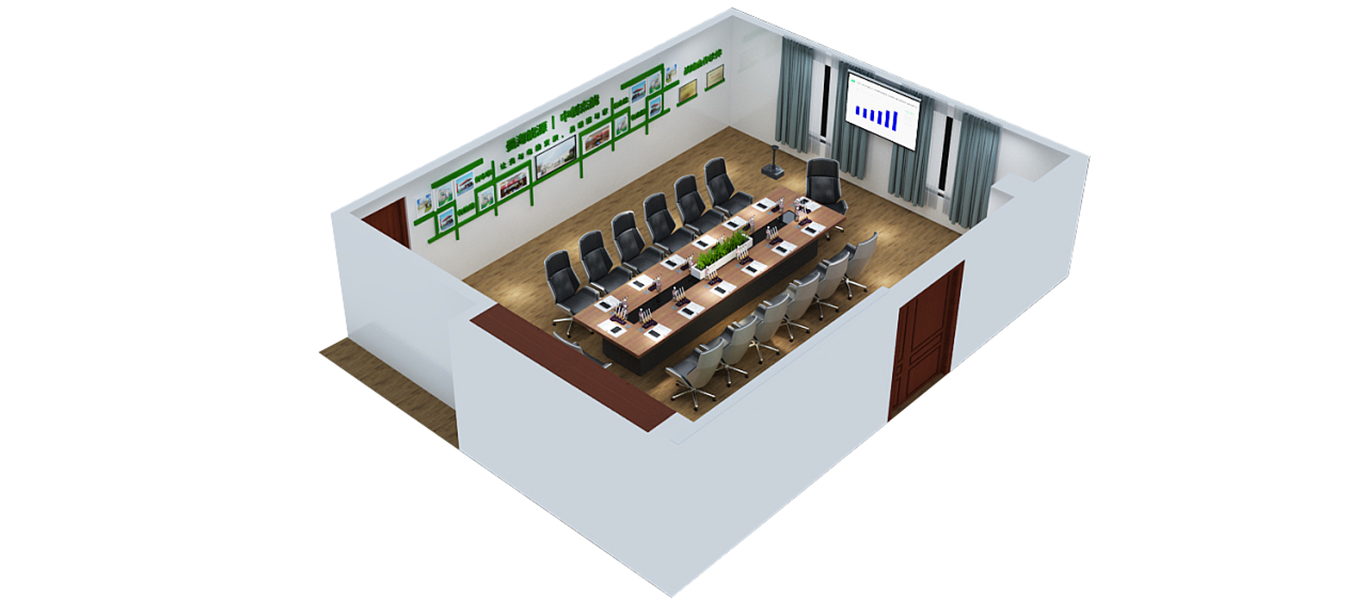
Paperless Conference System Introduction:
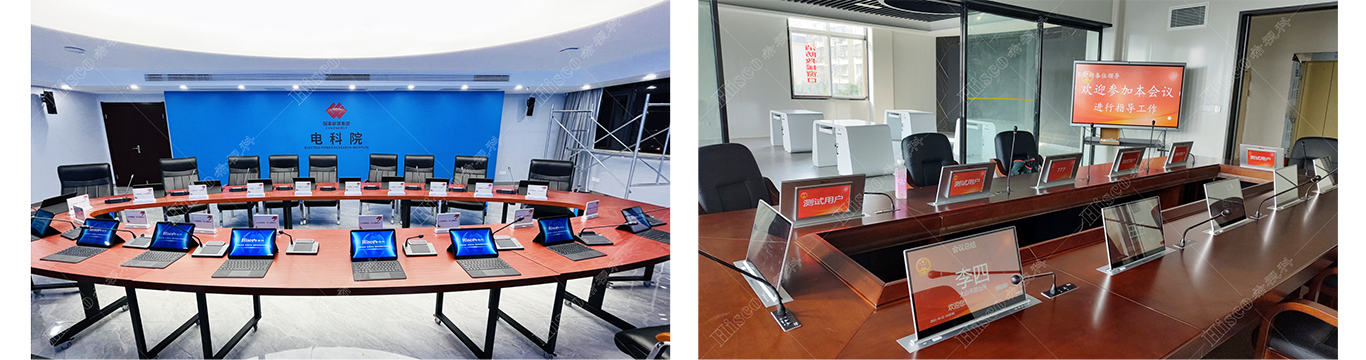
The paperless conference system consists of three core parts: tablet PCs (or desktop PCs), enterprise wireless routers and application servers (or regular PCs). All meeting documents are stored in electronic formats. Each seat is equipped with an electronic monitor lift for attendees to check meeting profiles, agendas, participant lists and office files including PPT, Excel, Word and PDF. Hosts can launch synchronous screen sharing to sync page turning, zooming and document annotation across all terminals, which cannot be realized in traditional paper-based meetings.
Digitizing conventional paper-based workflows with modern IT technology, the system delivers electronic, automatic, informational and intelligent management to boost efficiency, cut operational costs, simplify administration and reduce paper pollution. It covers electronic document management, digital signature, electronic contract and internal mail modules.
Core Features of Paperless Conference System:
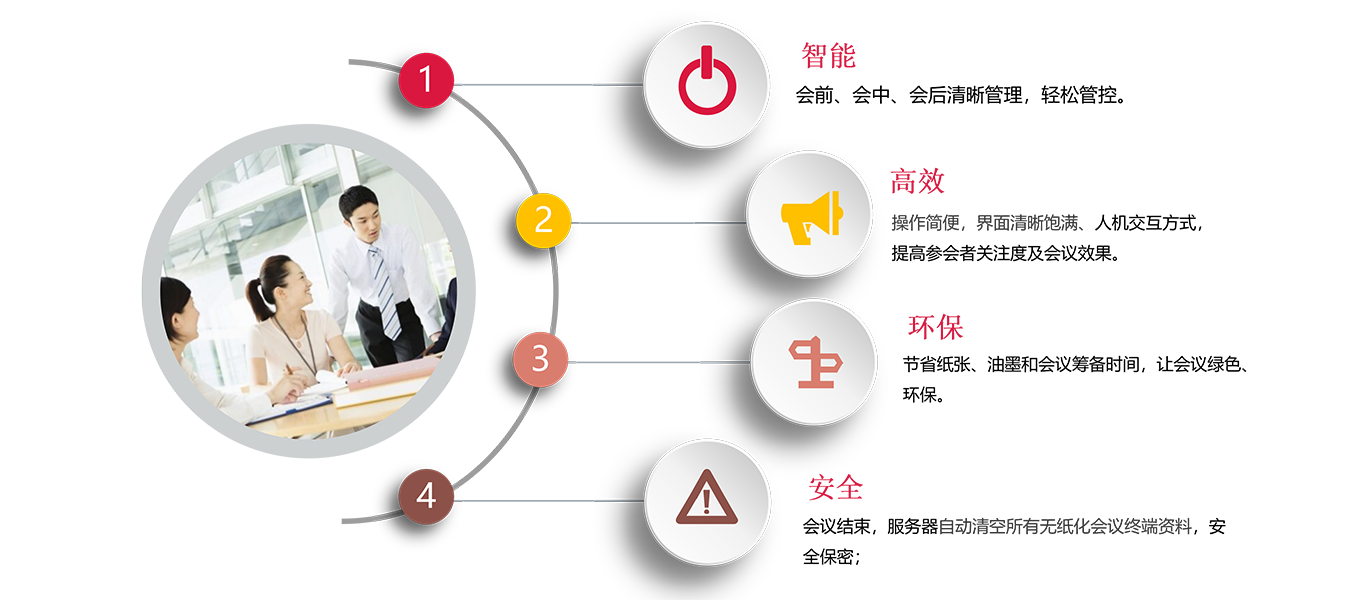
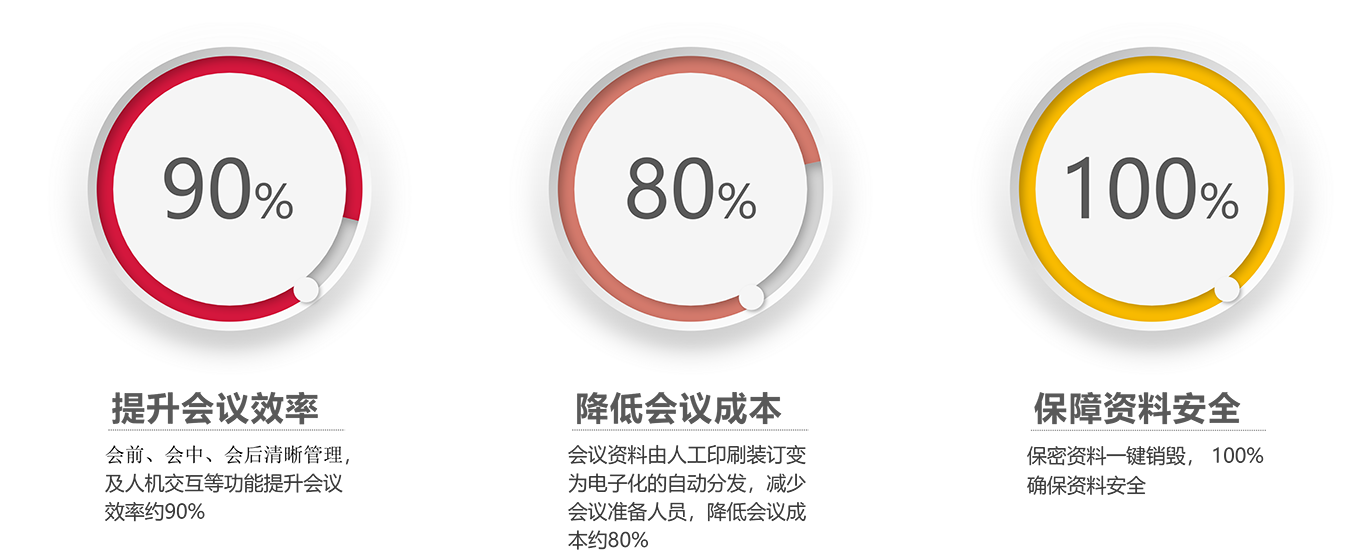
Application Value of Paperless Conference Solution:
II. System Functions:
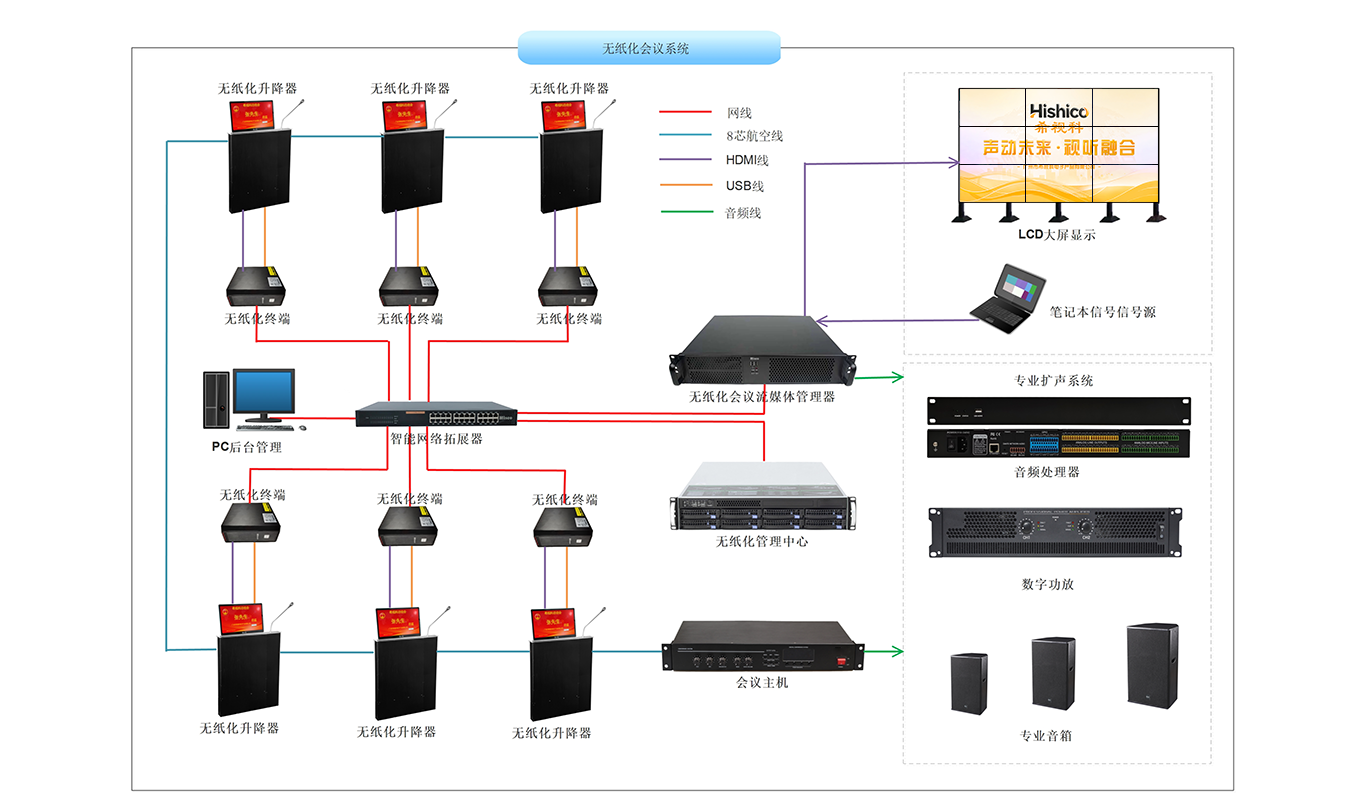
System Architecture Diagram:
Process Management:

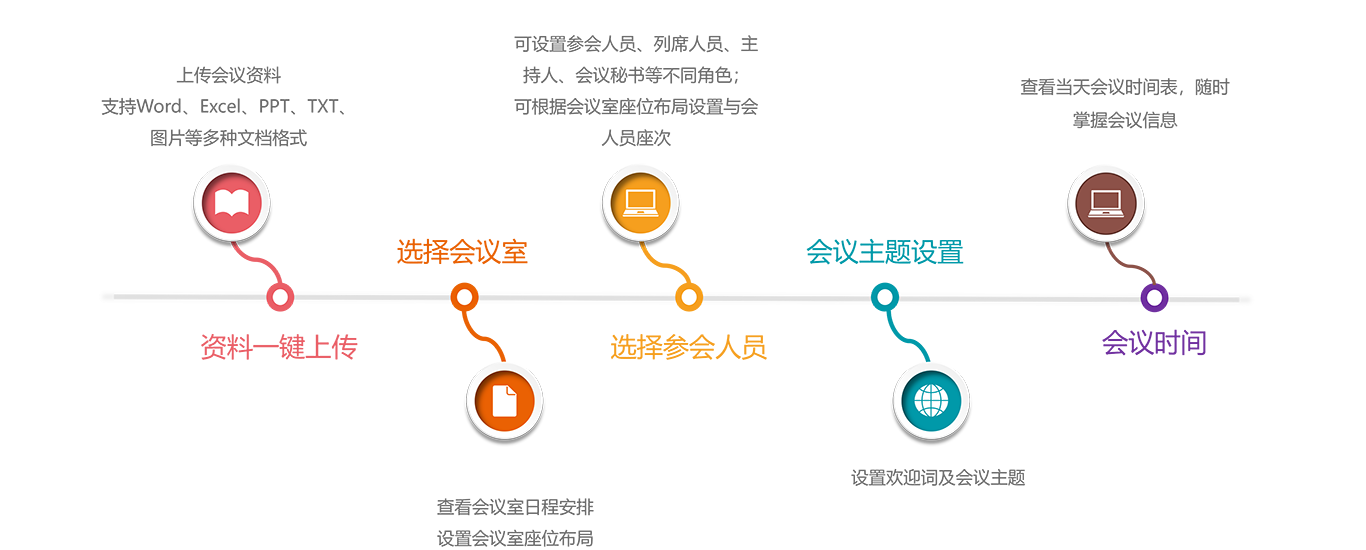
Pre-meeting Administration:
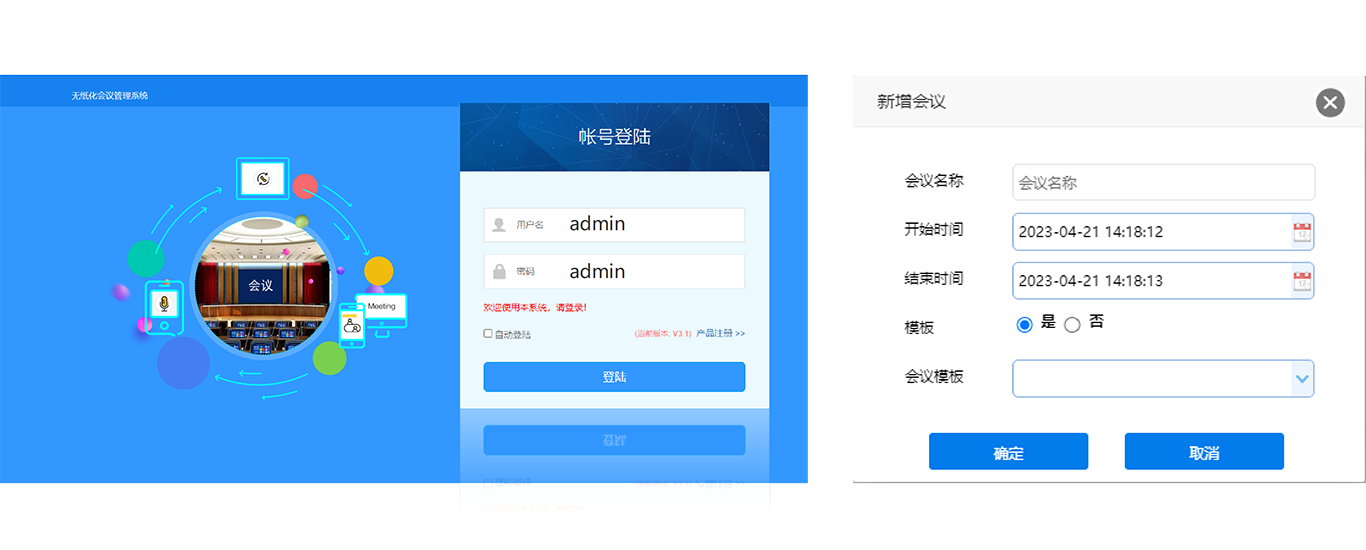
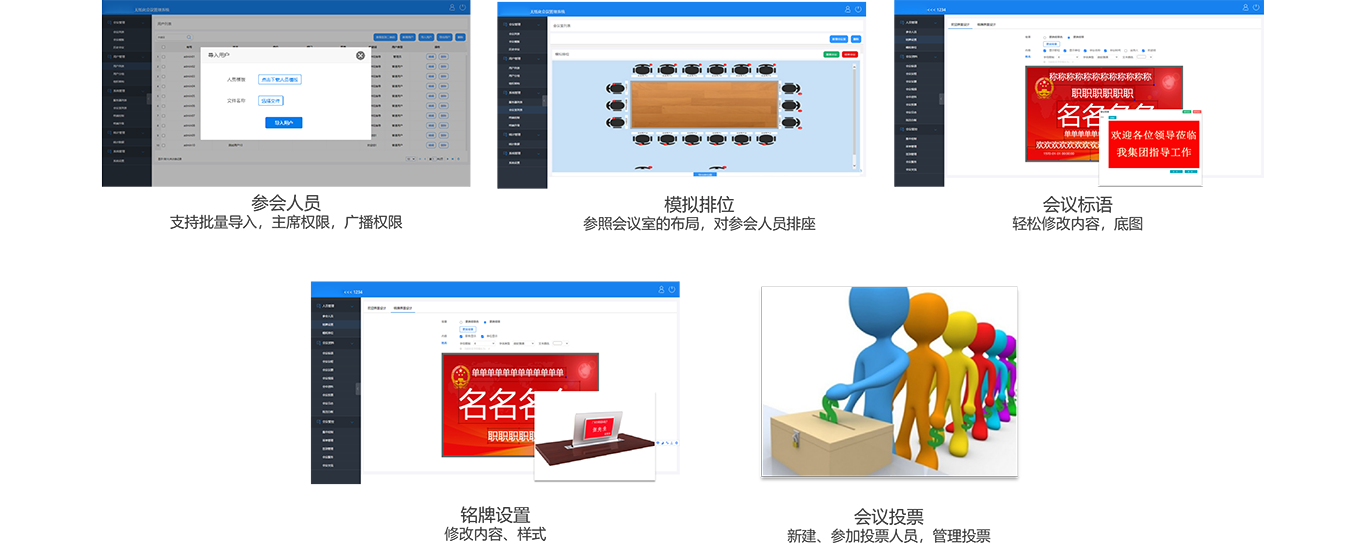
Pre-meeting Management - Create Conference
Remote Login: Administrators finish pre-meeting preparation remotely from office; multi-admin access without mutual interference;
New Conference Creation: Customize conference name, start & end time;
Conference Template: Save templates for fast one-click setup of recurring meetings;
Historical Meeting Archive: Retrieve finished meeting data for reuse;
Pre-meeting Management - Information Preset
Pre-meeting Management - Document Upload
On-site Meeting Management:
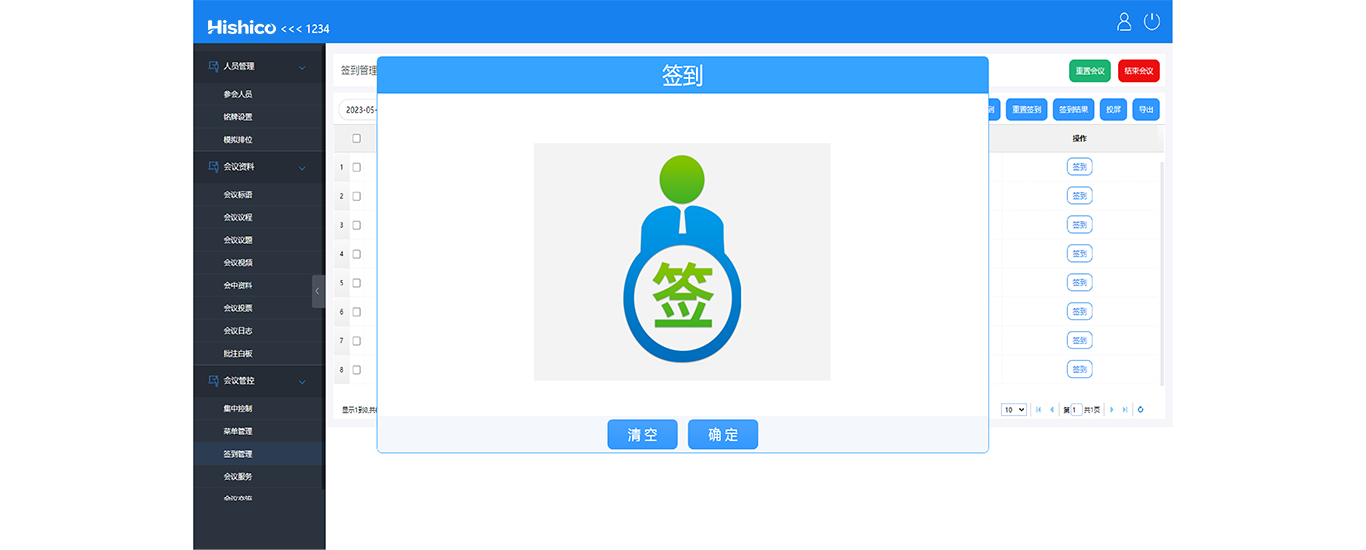
On-site Management - Check-in
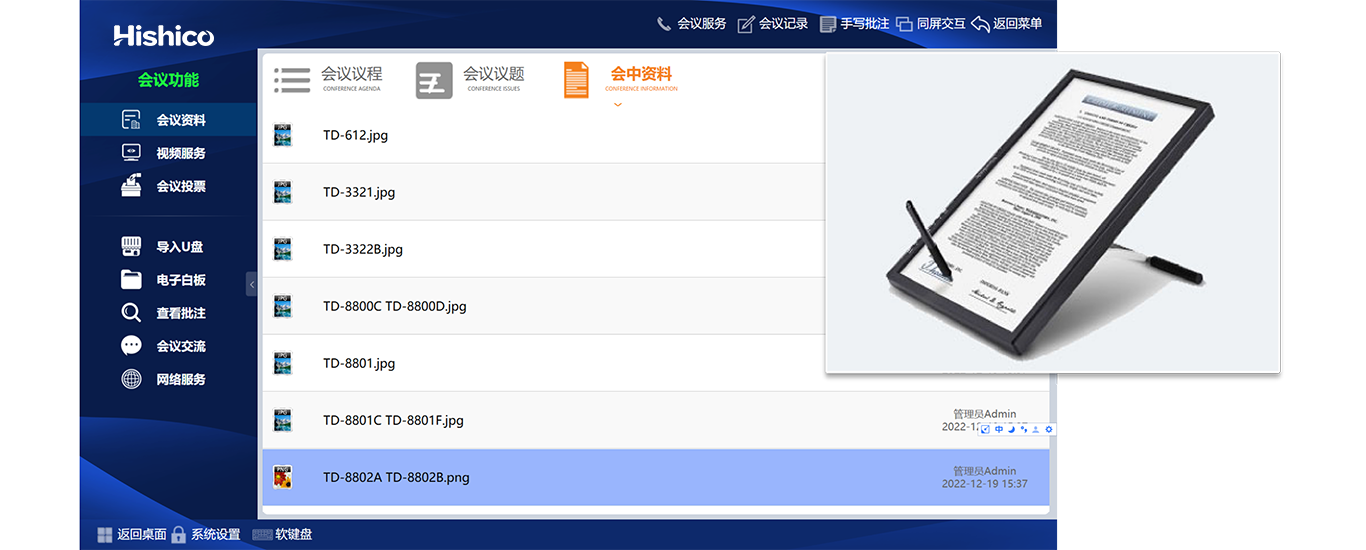
On-site Management - Document Browsing
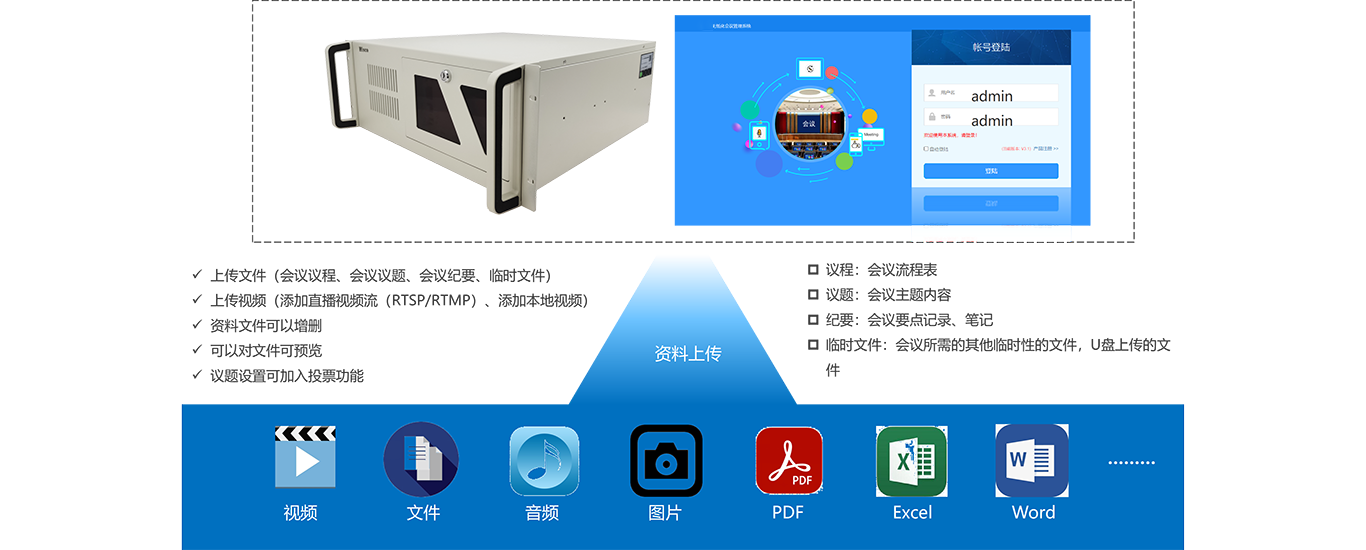
√ Browse meeting agenda, topics, minutes and temporary attachments;
√ Full compatibility with mainstream document formats;
√ Supports Word, Excel, PPT, PDF, TXT, HTML and image files;
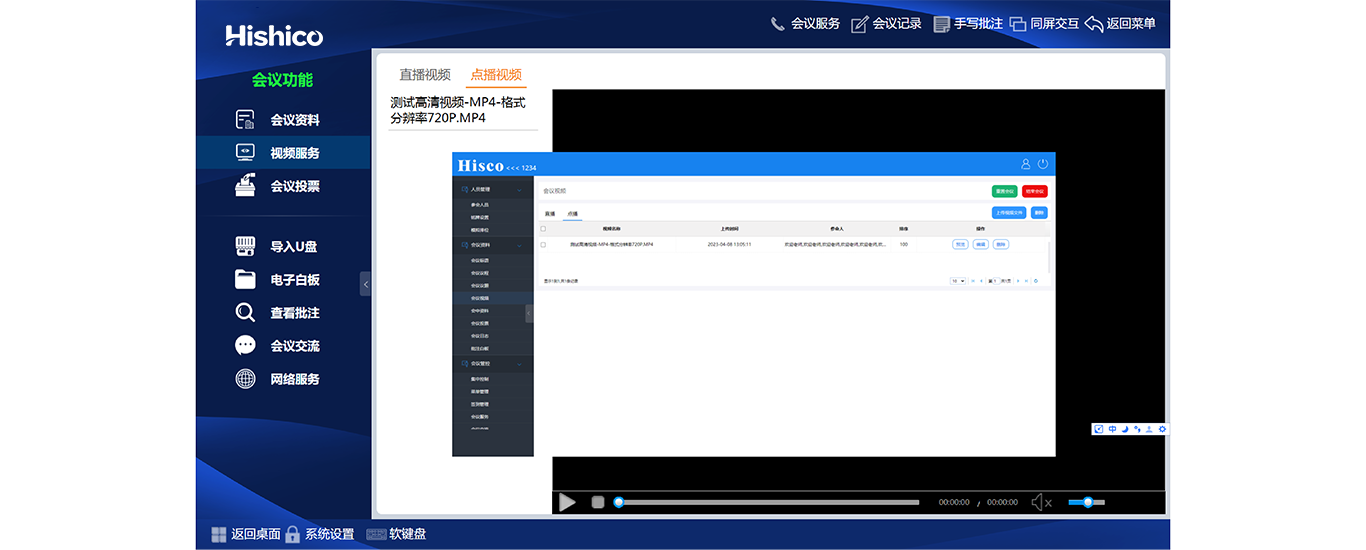
On-site Management - Video On-demand
• Two video modes: live streaming & on-demand playback for meeting-related clips;
• Live stream compatible with RTSP & RTMP protocols;
• Supported on-demand formats: MP4, WMV, FLV, MOV, AVI, MKV, RMVB, MPEG, MPG;
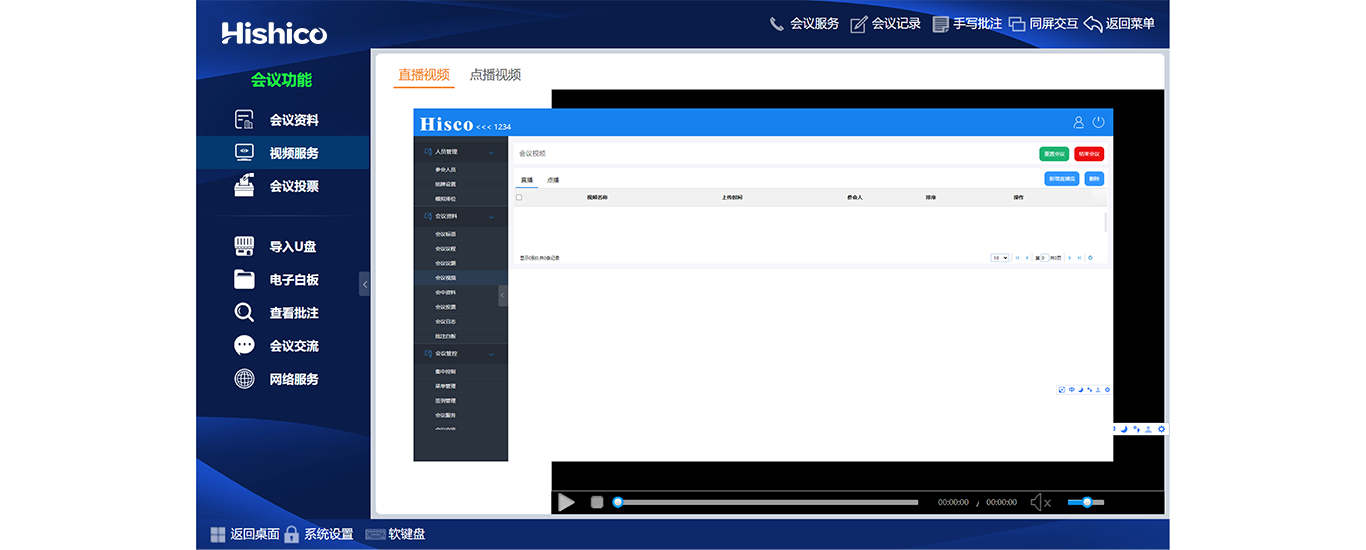
On-site Management - Live Video Stream
• Two video modes: live streaming & on-demand playback for meeting-related clips;
• Live stream compatible with RTSP & RTMP protocols;
• Supported on-demand formats: MP4, WMV, FLV, MOV, AVI, MKV, RMVB, MPEG, MPG;
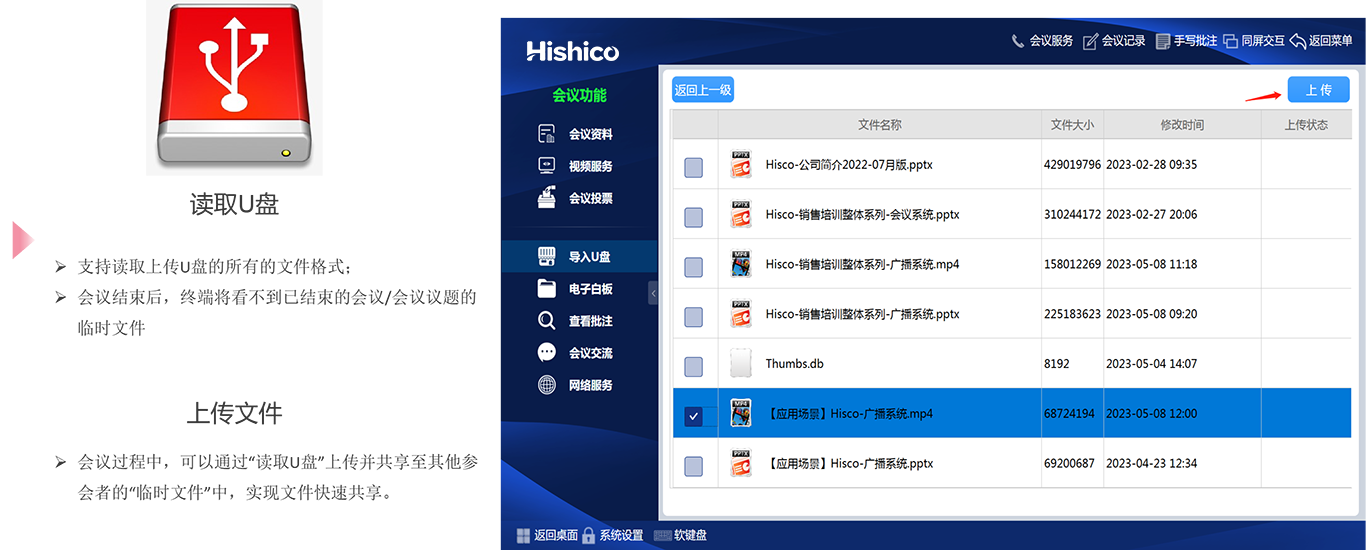
On-site Management - Real-time File Upload
On-site Management - Screen Broadcast
• Pull-down menu with pin-to-screen option;
• All terminals auto-sync presenter screen once broadcast is activated;
• Attendees exit sync mode via [Async Browse] for independent operation;
• Re-enter sync tracking by clicking [Follow Presenter];
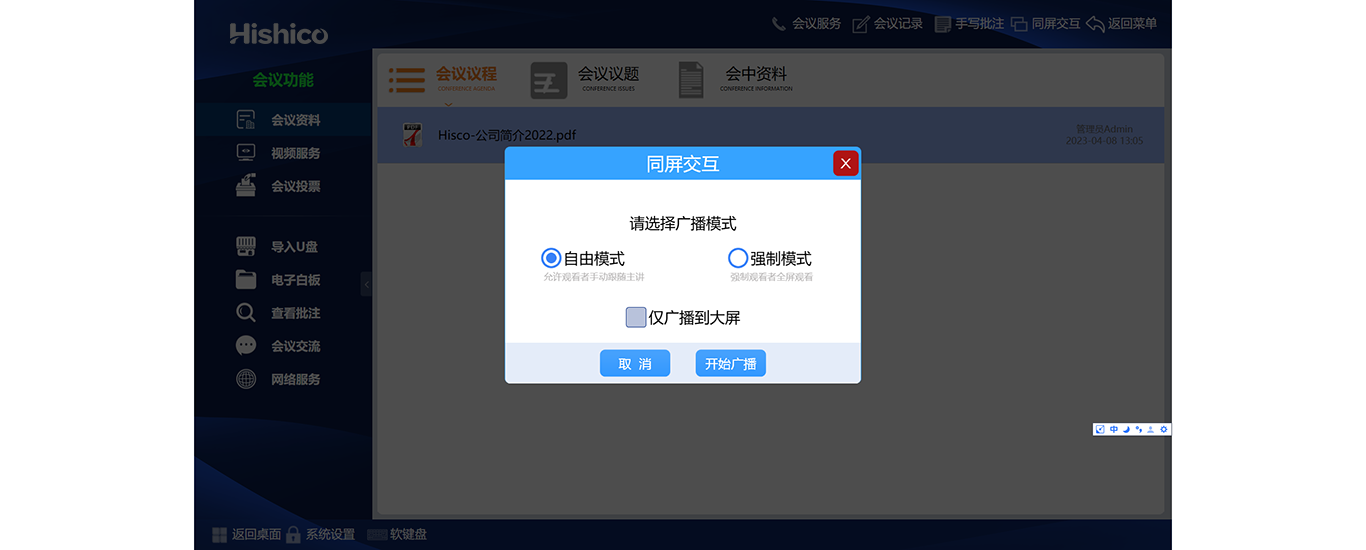
On-site Management - Asynchronous Browse
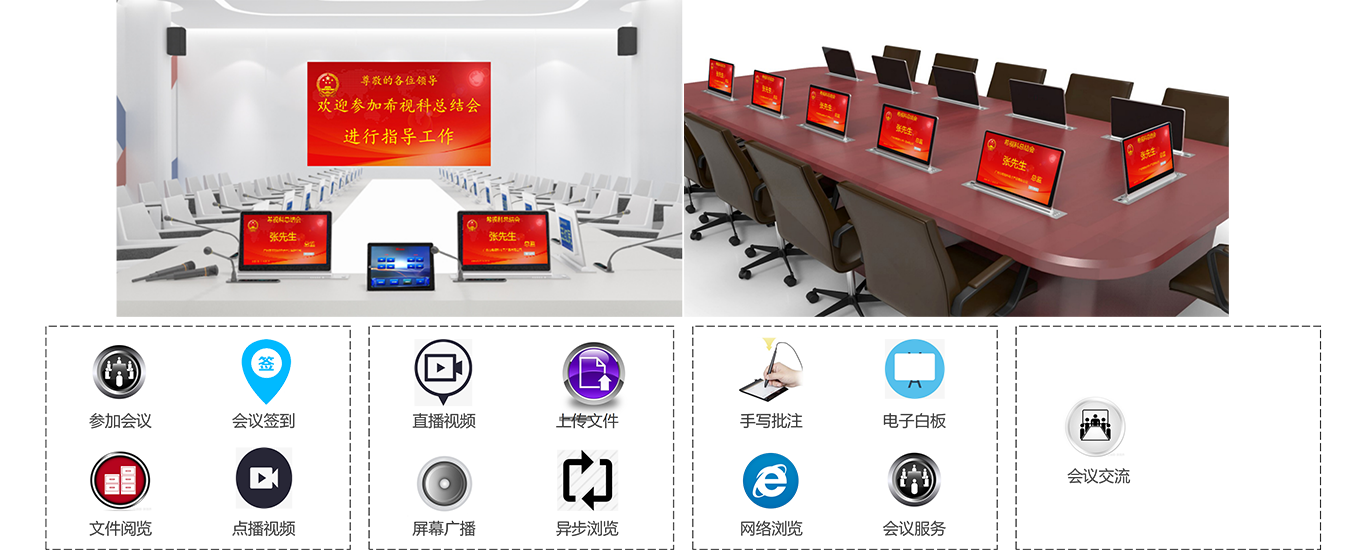
• Speech Application: Send mic request to chairman for approval before speaking;
• Screen Broadcast: Push local screen to all participant terminals & central display;
• Presenter Tracking: Sync presenter view or switch to independent async browse;
• Windows Mode: Run terminal as regular PC and switch back to conference anytime;
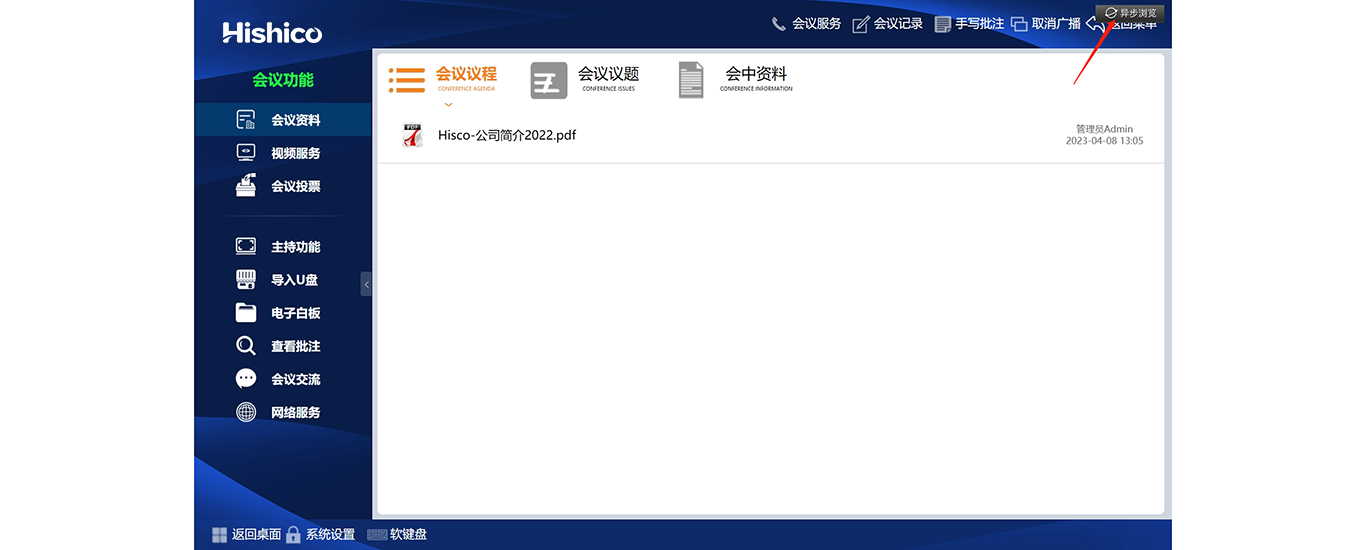
On-site Management - Handwriting Annotation
Full-screen snapshot & freehand markup on any page; all annotated files saved to server exclusively.
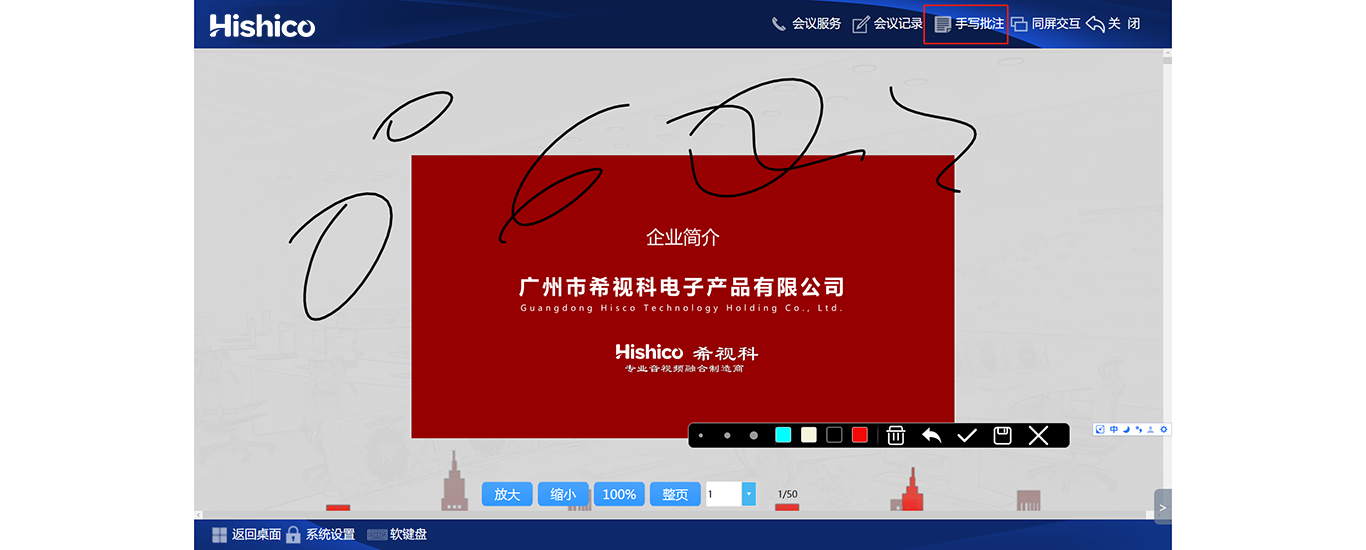
On-site Management - Electronic Whiteboard
• Private Mode: Individual freehand drafting;
• Interactive Mode: Multi-user collaborative whiteboard with real-time co-editing after access approval;
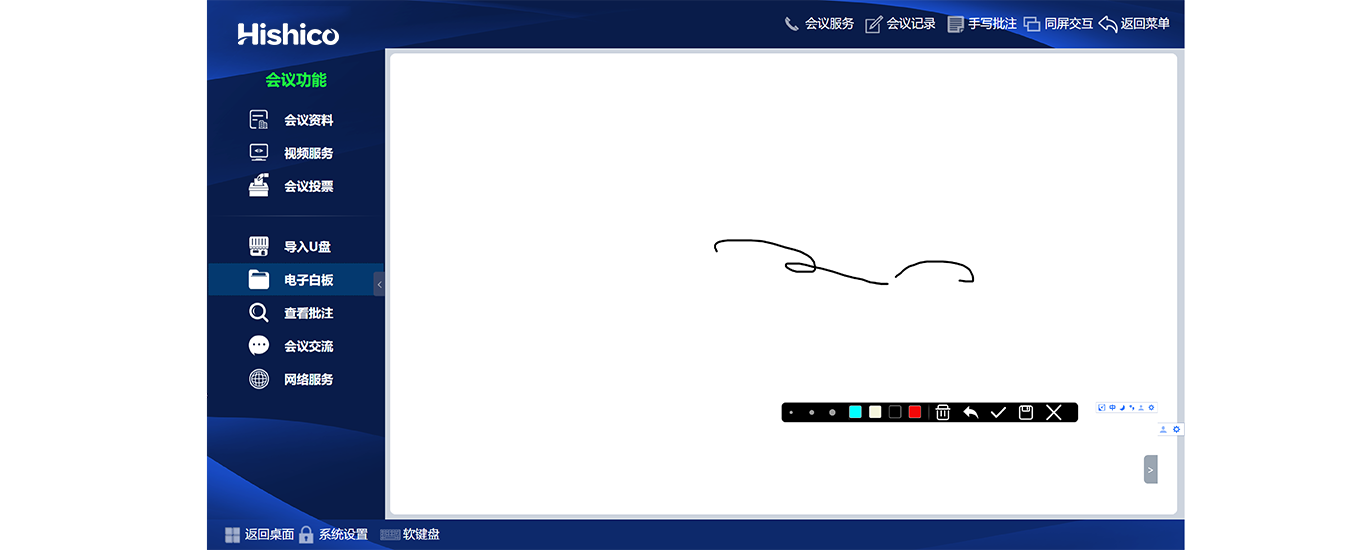
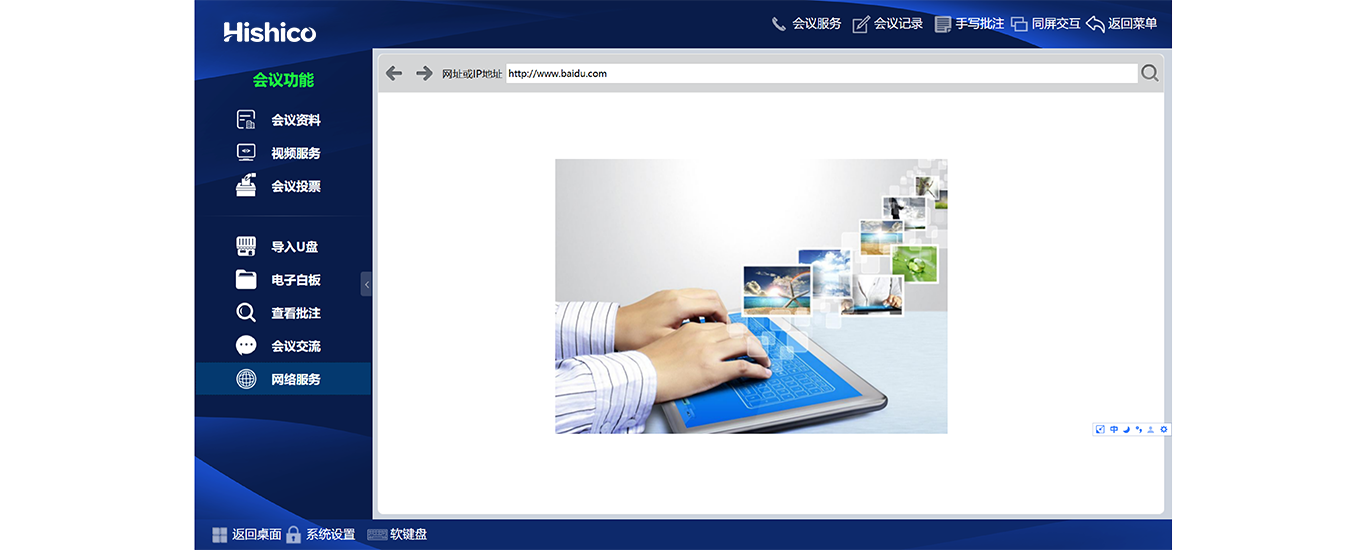
On-site Management - Internet Browser
Built-in web browser for participants to look up reference materials during sessions.
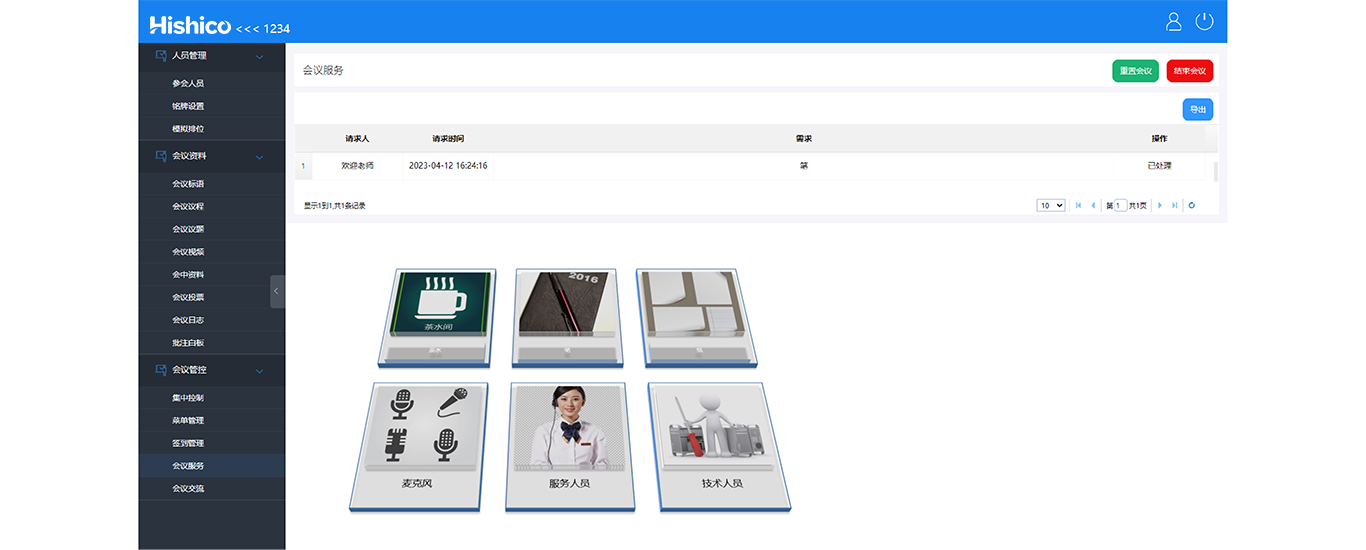
On-site Management - On-site Service Call
• Submit customized service requests to on-site support staff via dedicated panel;
• Free text input for personalized service demands.
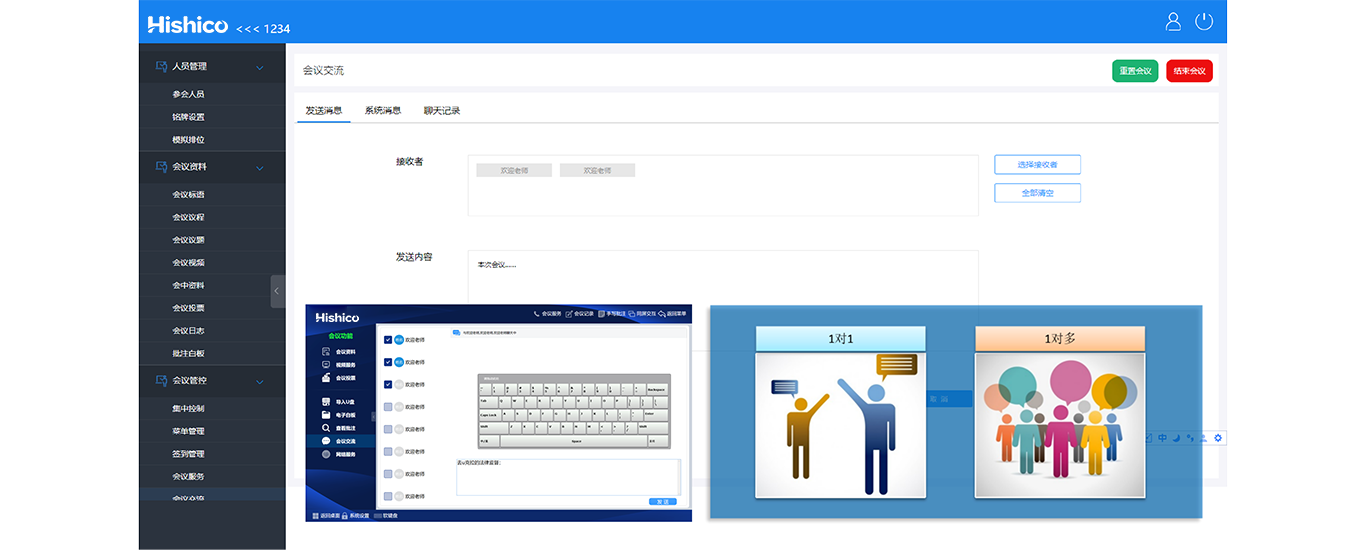
On-site Management - Instant Messaging
• One-on-one or group chat among attendees;
• Blinking corner icon alerts for incoming messages while on other pages.
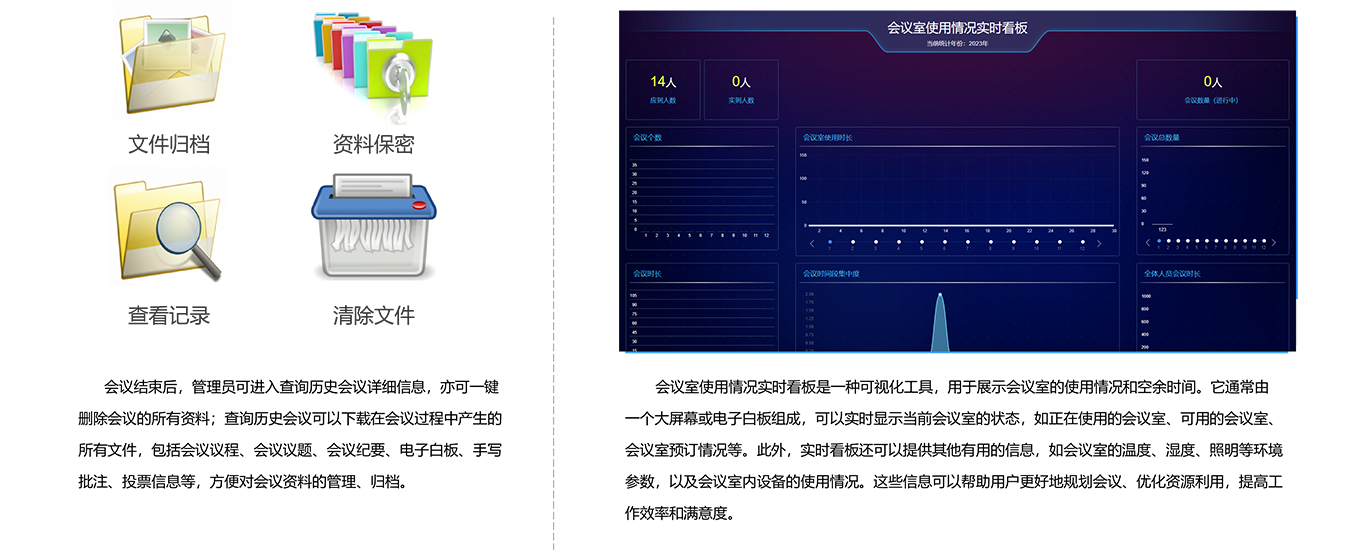
Post-meeting Management:
Chairman Privileges:
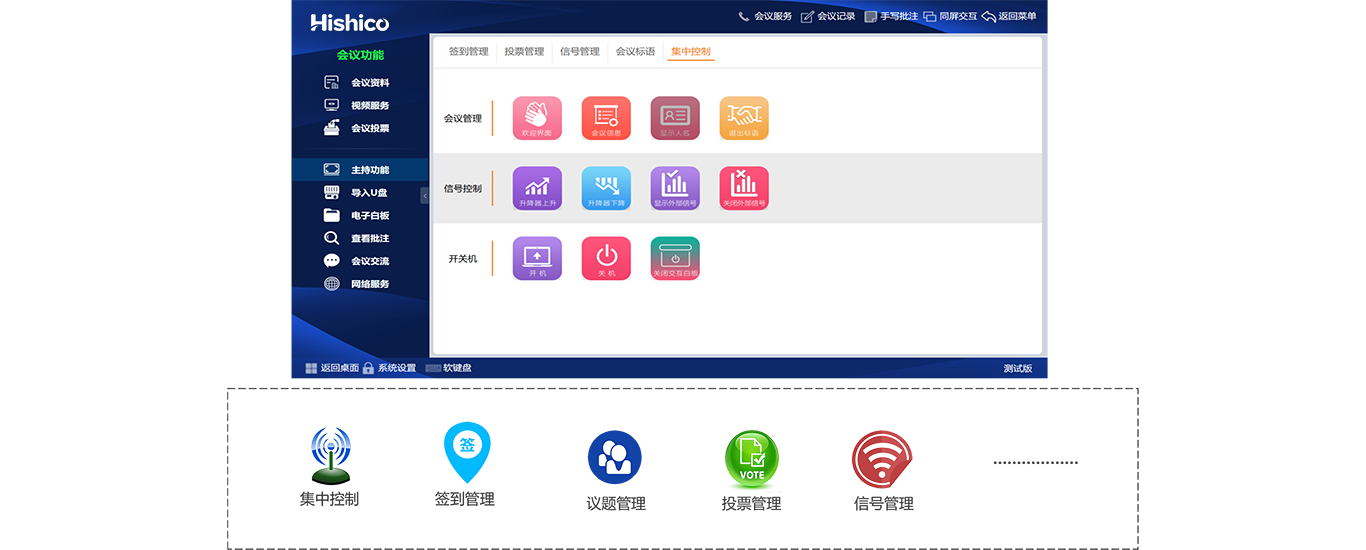
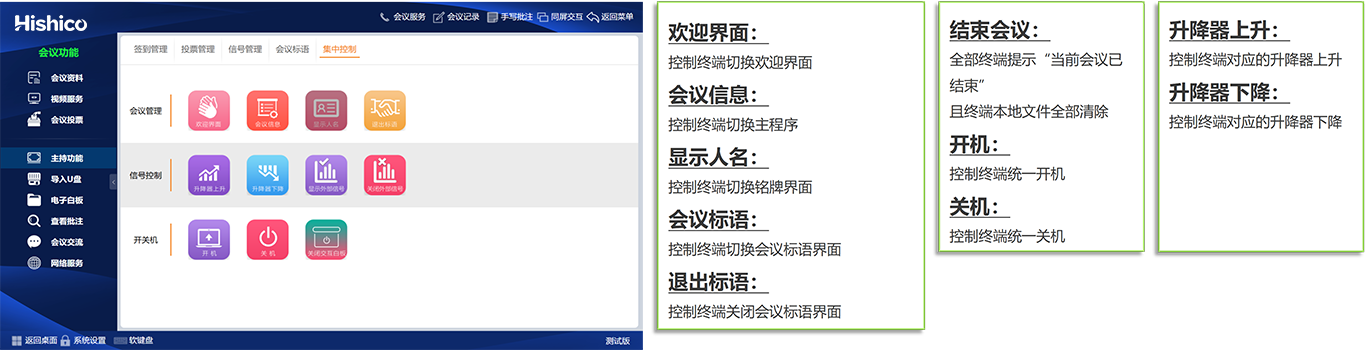
Chairman Function - Centralized Control
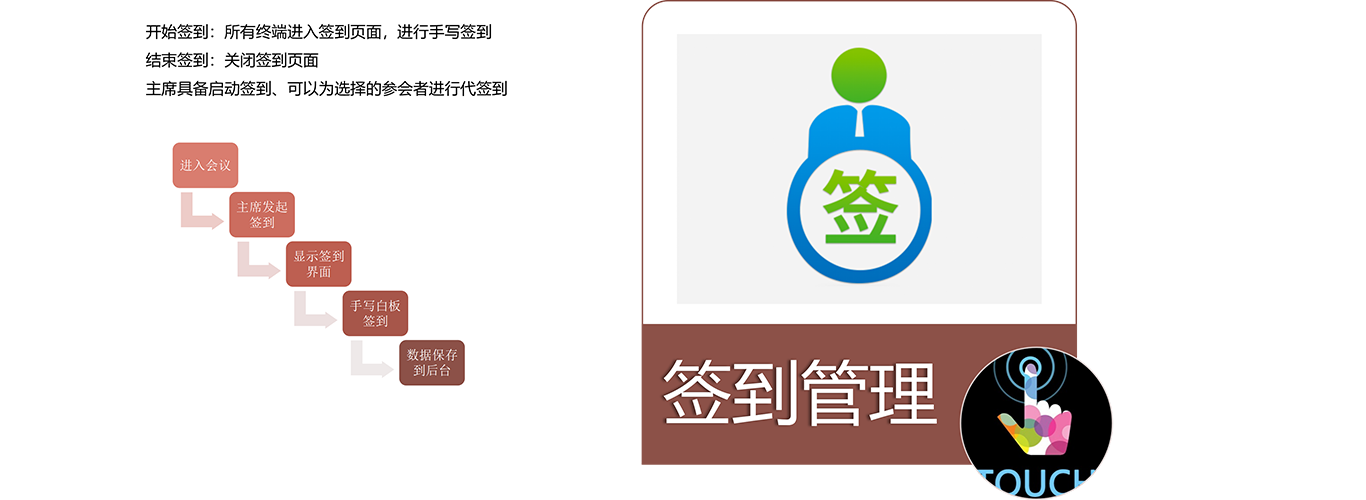
Chairman Function - Attendance Control
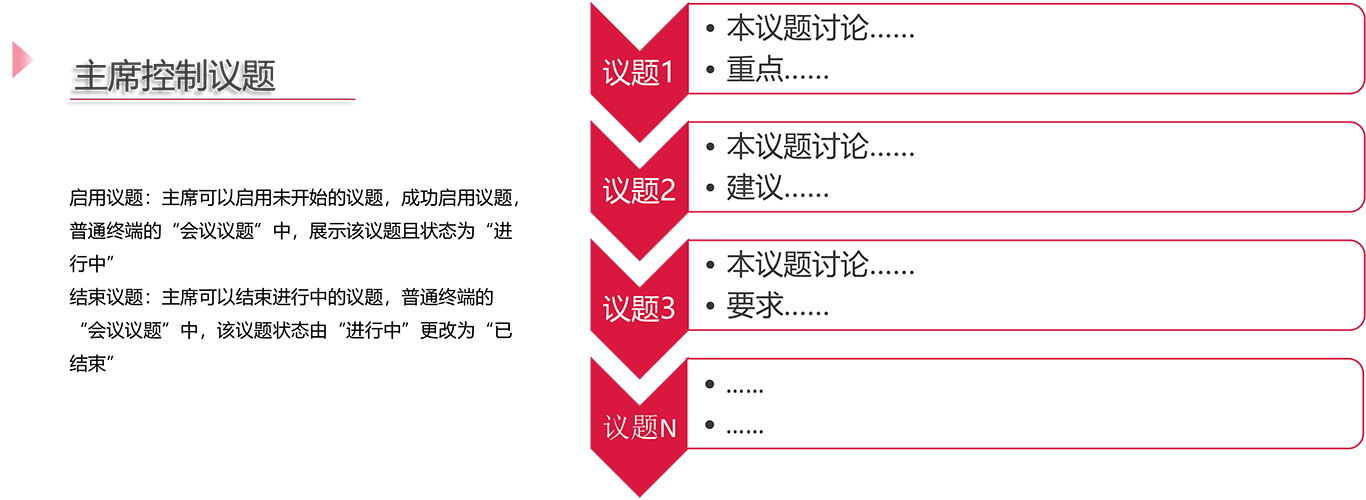
Chairman Function - Agenda Management
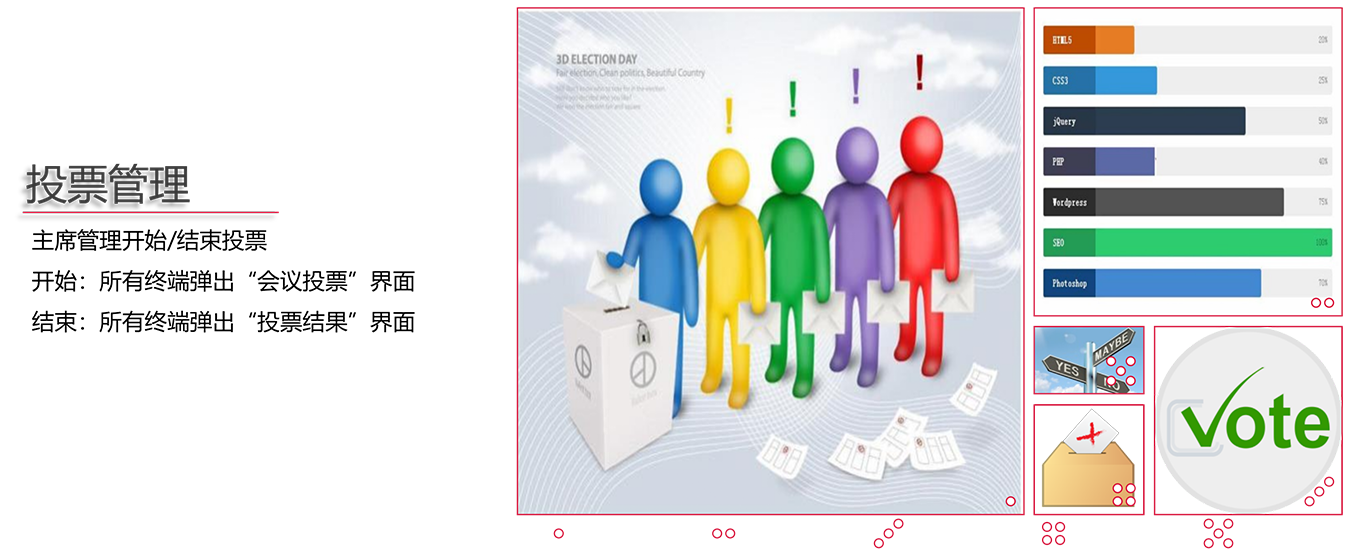
Chairman Function - Vote Management
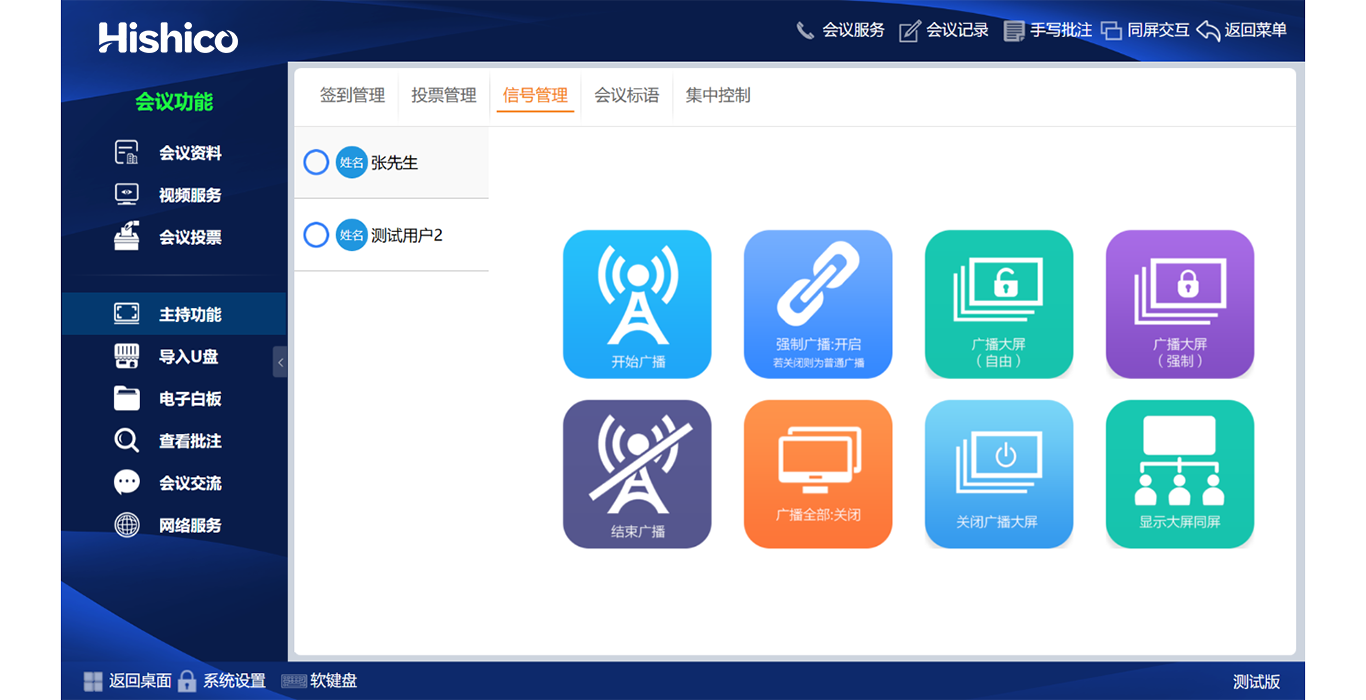
Chairman Function - Signal & Mic Management
• Launch regular or mandatory full-screen broadcast for selected participants or external sources; mandatory mode locks all terminals into presenter sync without async option;
Enable Speech: Turn on attendee microphone for speaking;
End Speech: Cut off participant microphone;
Approve Request: Accept or reject incoming speech application;
III. System Advantages:
Product Superiorities:
• Pre-installable Win7/Win10 OS for flexible third-party software expansion;
• Free remote diagnosis & online firmware upgrade via network connection;
• Modular main menu to enable/disable functions per hardware configuration;
• Strong expandability: support projection output, external PC access, IR large screen, streaming media, service terminal & third-party central control docking;
• Full-spectrum conference modules: check-in, info release, document sharing, onsite recording, whiteboard, instant chat, web browse, USB import, e-voting, live video, PC mode, host & central control;
• Powerful backend: access control, layout setting, seat label template, multi-room definition, participant management, document/vote/video archive & meeting schedule;
• Advanced highlights: multi-meeting parallel running, multi-video source, multi-presenter & multi-sync mode;
• Full office format support: doc/docx/xls/xlsx/ppt/pptx/pdf/png/jpg/html/txt;
• Extended industry formats: ceb/gd/dwg/dxf;
• Native handwriting markup on all editable files, annotation saved embedded inside original Word files;
• Humanized layered menu with quick access sidebar & collapsible function bar for larger document view;
• Heterogeneous hardware combination allowed within product lineup;
• Webservice standard data interface for custom development & OA system interconnection;
• Merge multiple rooms into one joint conference or run separated meetings simultaneously;
• Pre-schedule auto-switch between different meetings by preset timetable;
• Cross-platform client available for Windows & Android OS;
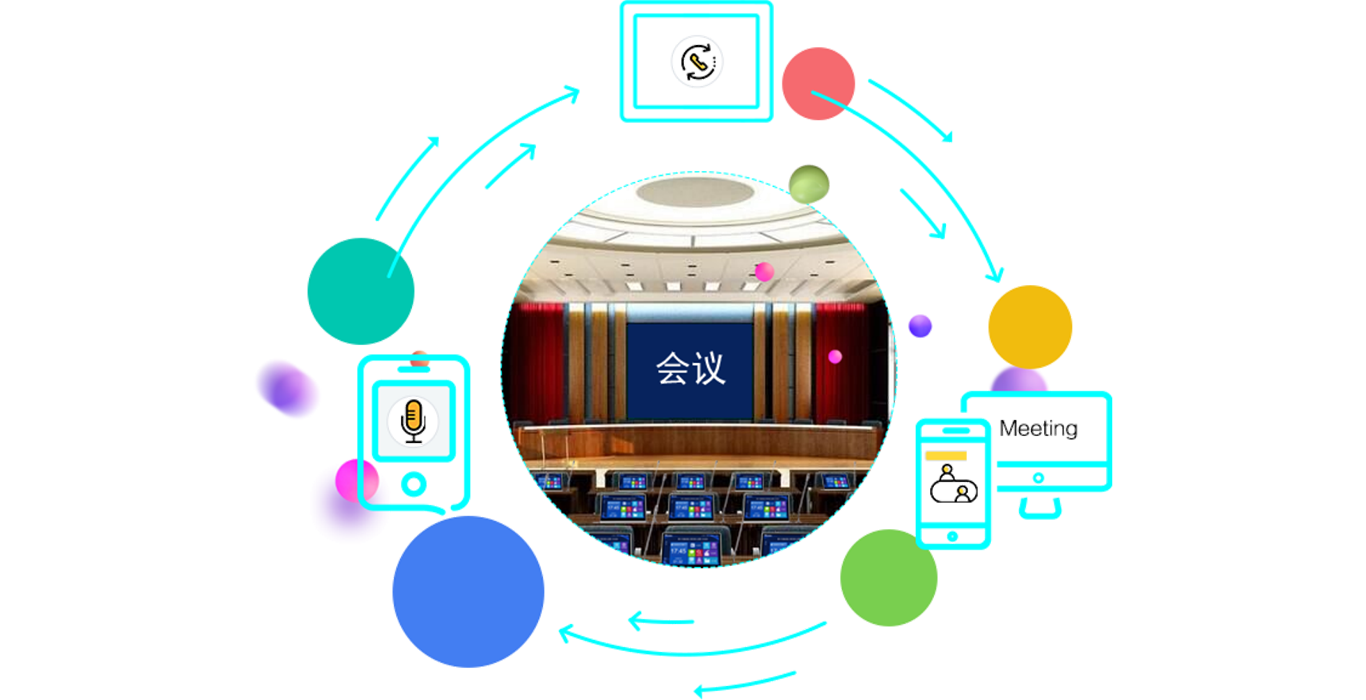
Technical Advantages:

IV. Application Scenarios
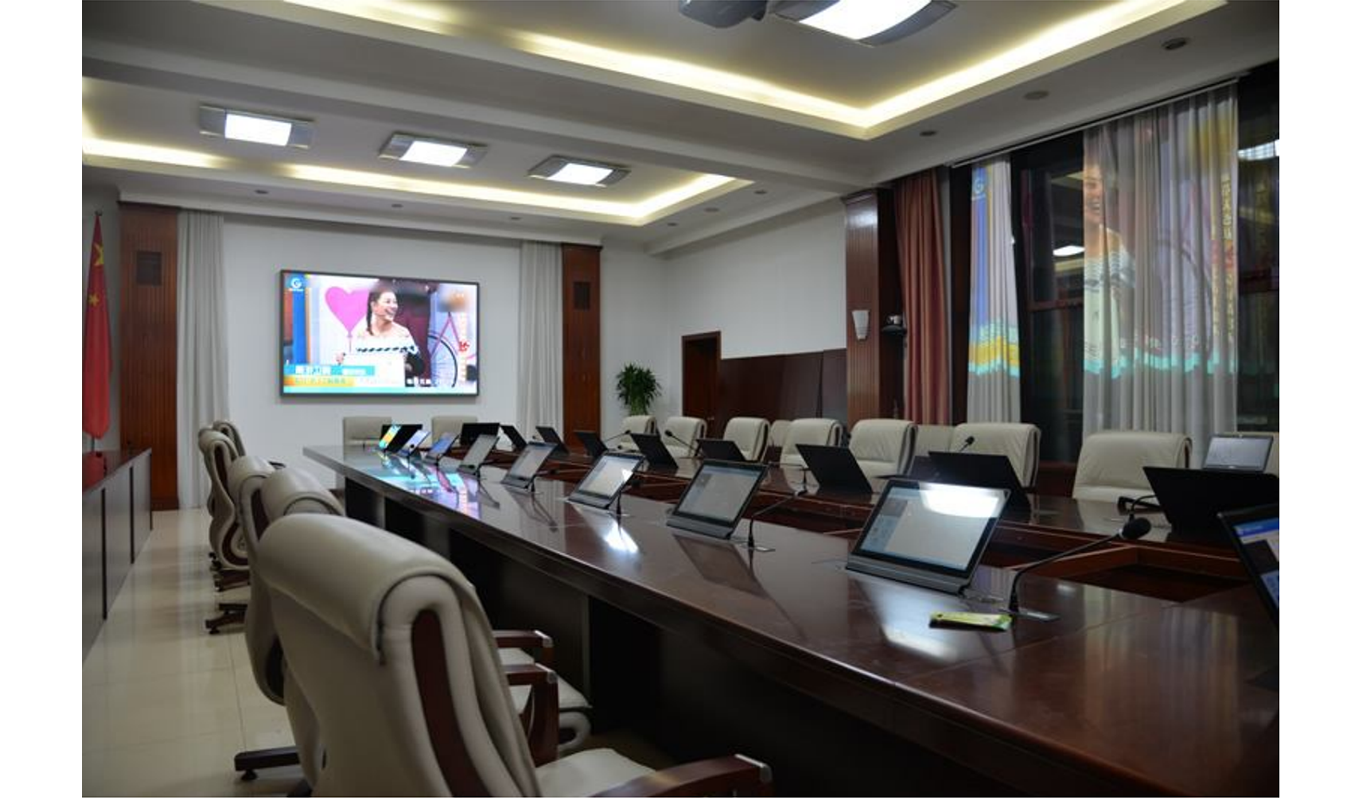
Government Conference Room Deployment:
Improve Conference Efficiency
• Replace bulky printed agendas & handouts with digital shared files for real-time annotation and collaborative discussion;
Confidential Information Security
• Encrypted storage + granular access control prevents confidential government document leakage or loss versus physical paper files;
Cross-department Information Sharing
• Streamline inter-department coordination with instant remote data exchange to save travel & paperwork cost;
Eco-friendly Green Operation
• Cut massive paper waste to fulfill government energy-saving & environmental protection policies;
Optimized Meeting Experience
• Enrich sessions with e-signature, live video, voice input and online ballot functions;
Cost Reduction
• Eliminate expenses on paper, printing equipment, manual distribution and document transportation;

Court & Procuratorate Application:
Pre-meeting Arrangement
• Centralized management of schedules, attendee roster and case materials to ease organizer workload;
In-session Data Sharing & Permission Control
• Controlled content release of agendas, slides and exhibits with classified access rights for sensitive judicial data;
Real-time Collaborative Decision-making
• Instant voting, message exchange and file co-edit to accelerate judicial discussion & resolution;
Post-meeting Filing & Review
• Auto archive all session records for follow-up assessment and future case reference;
High-level Data Security
• Strict identity verification, encryption and permission management for confidential case files & personal privacy data;
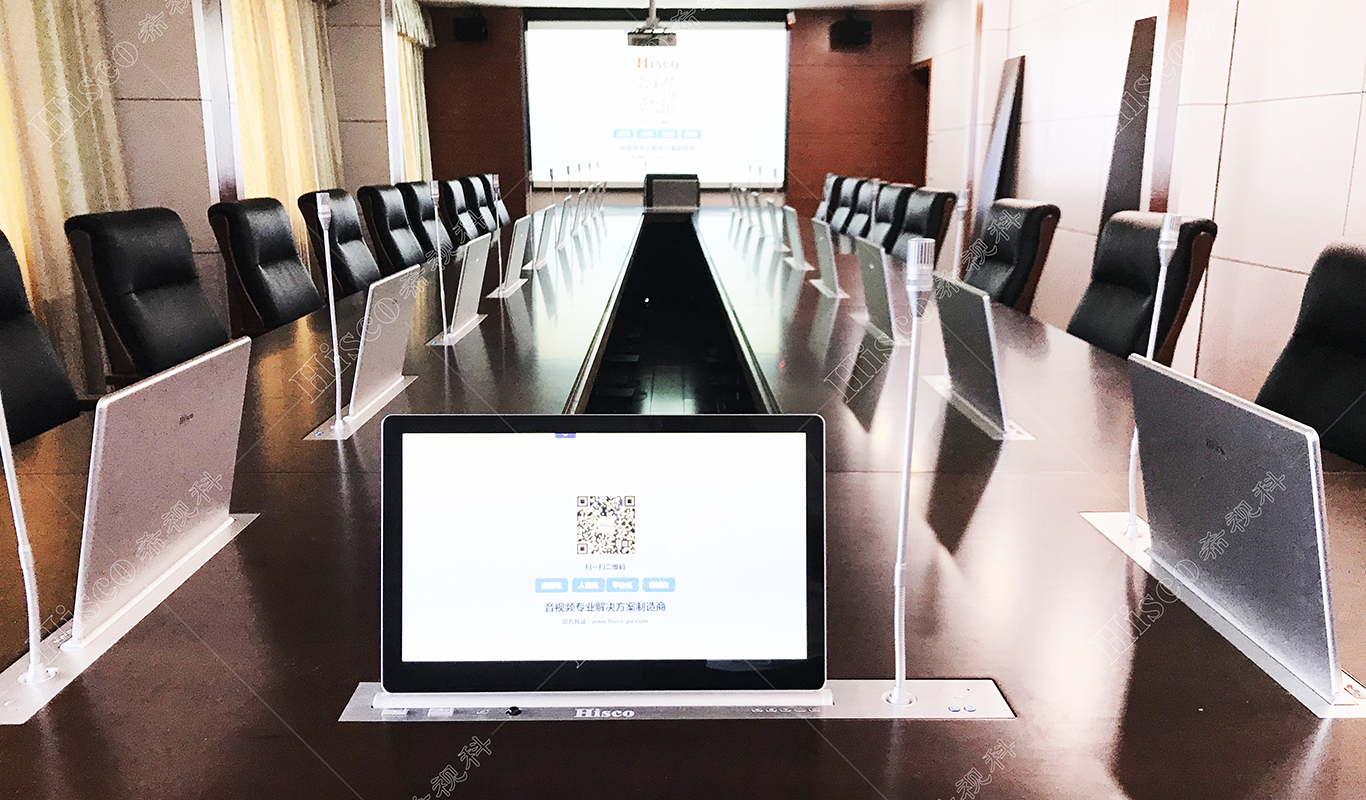
Military & Defense Conference:
Top-secret Data Protection
• Encrypted digital storage avoids physical file loss or confidential information disclosure;
Remarkable Efficiency Upgrade
• Preload all documents in server; participants view/edit anytime to remove heavy pre-printing workload;
Cross-region Synergy
• Remote multi-site co-work via integrated video & document sync for cross-department military discussion;
Operating Cost Saving
• Cut costs on printing, copying and hardcopy delivery;
Green & Low-carbon
• Reduce paper consumption and carbon emission for environmental compliance;
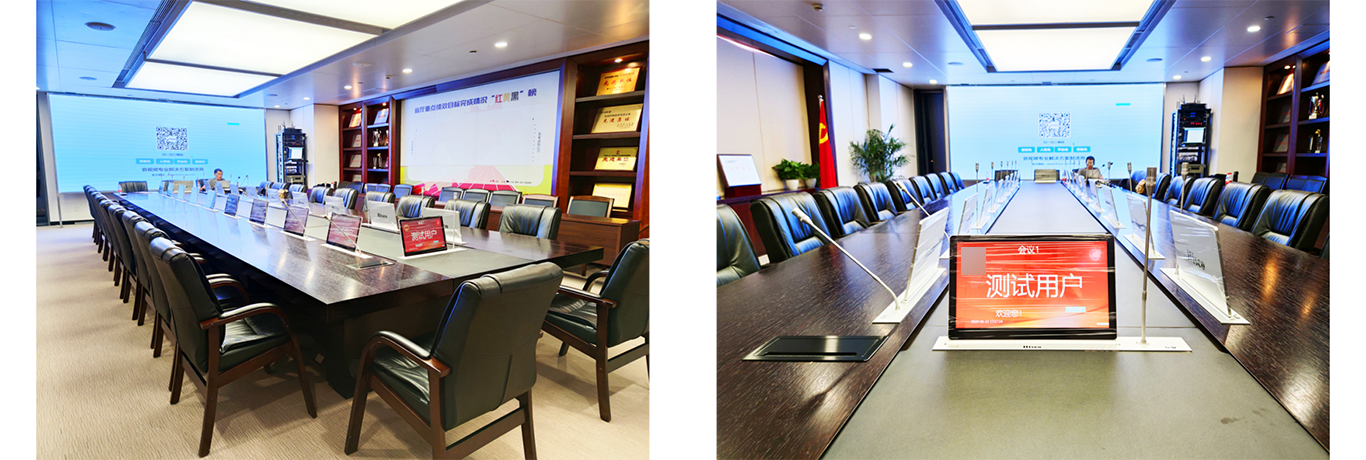
Enterprise Boardroom Solution:
Interactive Electronic Whiteboard
• Digital whiteboard supports instant writing, markup, auto-save and cross-terminal sharing vs disposable traditional whiteboard;
Digital Contract Sign-off
• Legal-effect digital signature replaces print-sign-scan workflow to boost signing efficiency & file safety;
Central Cloud Document Storage
• Cloud-hosted documents avoid physical file damage/loss and cut printing expenditure;
Instant Electronic Voting
• Auto-stat voting results instantly for corporate resolution & market research;
Command & Control Center:
Boost Session Efficiency & Accuracy
• Real-time shared digital docs replace printed handouts; instant update & markup for emergency command discussion;
Multi-format Information Presentation
• Unified display of text, chart, audio & video with built-in meeting recording for later playback;
Enhanced Confidentiality Control
• Permission-based document access prevents confidential command brief leakage;
Resource & Environmental Conservation
• Eliminate massive paper waste to fit sustainable development requirements;
Trial Courtroom Application:
High Confidentiality Protection
• Data encryption + access restriction secure sensitive litigation information against unauthorized access;
High Judicial Efficiency
• Online case file sharing & co-editing avoids document missing and redundant reprint cost;
Eco-saving Design
• Remove paper printing & delivery chain to save resources and comply with green development;
Intelligent Auxiliary Trial
• Optional AI speech transcription & smart translation to assist judicial trial progress;
Full Audit Traceability
• Full session log of all participant actions for judicial review and case traceability;